About Slow Down | Ralenty
The all-in-one music practice toolkit for serious musicians
Slow down YouTube videos, detect BPM and key, reduce vocals, write notation, track your progress, and more - all free
Practice Any Song Your Way
Import YouTube videos or upload your own audio files - then use powerful tools to break down and master every passage
Speed Control
Slow down any YouTube video from 0.25x to 2x speed to catch every detail of fast passages
Loop Sections
Create and save loops to repeat difficult sections automatically until you've mastered them
Markers & Bookmarks
Save timestamps to jump back to specific moments instantly - never lose your place again
Practice Together
Follow other musicians to see what they're practicing. Share your videos, playlists, and sheets with friends, students, or teachers.
- Follow musicians and see their practice activity
- Share videos, playlists, and sheet music publicly
- Comment on videos and discuss techniques
- Like and save content from other musicians
Practice Anywhere, On Any Device
Slow Down is completely mobile friendly. Start practicing on your laptop, then pick up right where you left off on your phone - or vice versa. Your videos, markers, loops, and progress sync seamlessly across all your devices.
How to Slow Down Music
Three simple steps to start practicing at any speed
Paste a YouTube Link
Copy any YouTube video URL and paste it into Slow Down. Works with music videos, tutorials, lessons, and more.
Adjust the Speed
Use the speed slider to slow down the video to your preferred pace. Start slow and gradually increase as you improve.
Create Loops & Practice
Set markers to create loops that repeat automatically. Save your progress and come back anytime to continue practicing.
Pitch Shifting / Transpose
Shift the pitch of audio up or down by semitones and fine-tune by cents - practice songs in any key without leaving your browser. For uploaded audio files, pitch shifting works directly. For YouTube videos, use the free Slow Down Chrome Extension.
Get the Chrome Extension (Free)Slow Down is Free
Slow Down is completely free to use with no limits. If you find it useful, you can optionally support development to help cover hosting costs and keep it running.
Become a SupporterFrequently Asked Questions
Is Slow Down free?
Yes! Slow Down is completely free to use with no limits on videos, markers, loops, or sharing. I built this as a passion project and want it to be accessible to everyone. If you find it useful, you can optionally become a supporter to help cover hosting costs and fund development. If costs grow significantly in the future, I may need to introduce a paid tier, but the goal is to keep the core experience free for as long as possible.
How slow can I make the video?
You can slow down videos to 0.25x speed (4 times slower than normal) - perfect for catching every note of a fast guitar solo or complex dance move. You can also speed up to 2x for reviewing familiar material.
What are loops and markers?
Markers let you save specific timestamps in a video so you can jump back instantly. Loops let you select a section to repeat automatically - set the start and end points, and the video will loop that section until you've mastered it.
Can I save my practice progress?
Absolutely! When you sign in, all your videos, markers, loops, and playlists are saved to your account. Pick up right where you left off on any device.
Can I share videos with my teacher or students?
Yes! You can share individual videos or curated playlists with anyone. Your markers and loops are included so others can practice the same sections you've highlighted.
Can I change the pitch / transpose?
Yes! For uploaded audio files, pitch shifting works directly in your browser - shift up or down by semitones with high-quality audio. For YouTube videos, pitch shifting requires the free Slow Down Chrome Extension, which works with Chrome, Edge, Brave, Arc, and other Chromium-based browsers.
How can I support Slow Down?
If you find Slow Down useful, you can become a supporter with an optional monthly or yearly subscription, or make a one-time donation. This helps cover hosting costs and funds continued development. Every bit of support is genuinely appreciated and helps keep the app free for everyone.
Become a Supporter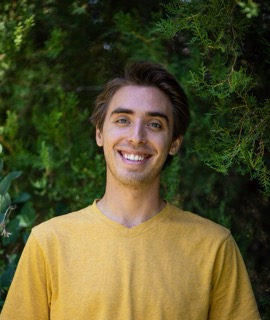
Built by a Team of One
Hi, I'm Theo Wecker - a musician and software developer who built Slow Down to help myself and others practice more effectively. What started as a personal tool has grown into something I'm excited to share with musicians everywhere.
Have suggestions, feedback, or just want to say hi? I'd love to hear from you! Send me an email - every message is read and appreciated.
Built for Musicians - Useful for Everyone
Slow Down is designed for music practice, but anyone who needs to slow down and study video content can benefit
Musicians
Learn solos, transcribe, and master difficult passages
Music Teachers
Create and share sheet music, exercises, and playlists
Dancers
Slow down choreography to learn step by step
Language Learners
Slow down native speakers to catch every word
Why Slow Down | Ralenty?
The name Slow Down is inspired by the French word ralenti - which means "slowed down" or "in slow motion." It comes from the verb ralentir, meaning to slow down. In French film and music, au ralenti describes that beautiful moment when everything slows to a crawl and you can appreciate every detail.
That's exactly what this app does for practice - it lets you experience music au ralenti, catching every note, every rhythm, every nuance that flies by at full speed.
Ralenty - our alternate name - is a playful twist on ralenti and ralentir. It's a nod to the French roots of the idea, made our own.
As a dedicated French learner myself, I love the connection between language and music - both require patience, repetition, and the willingness to slow down and really listen.